Login with Email and Password
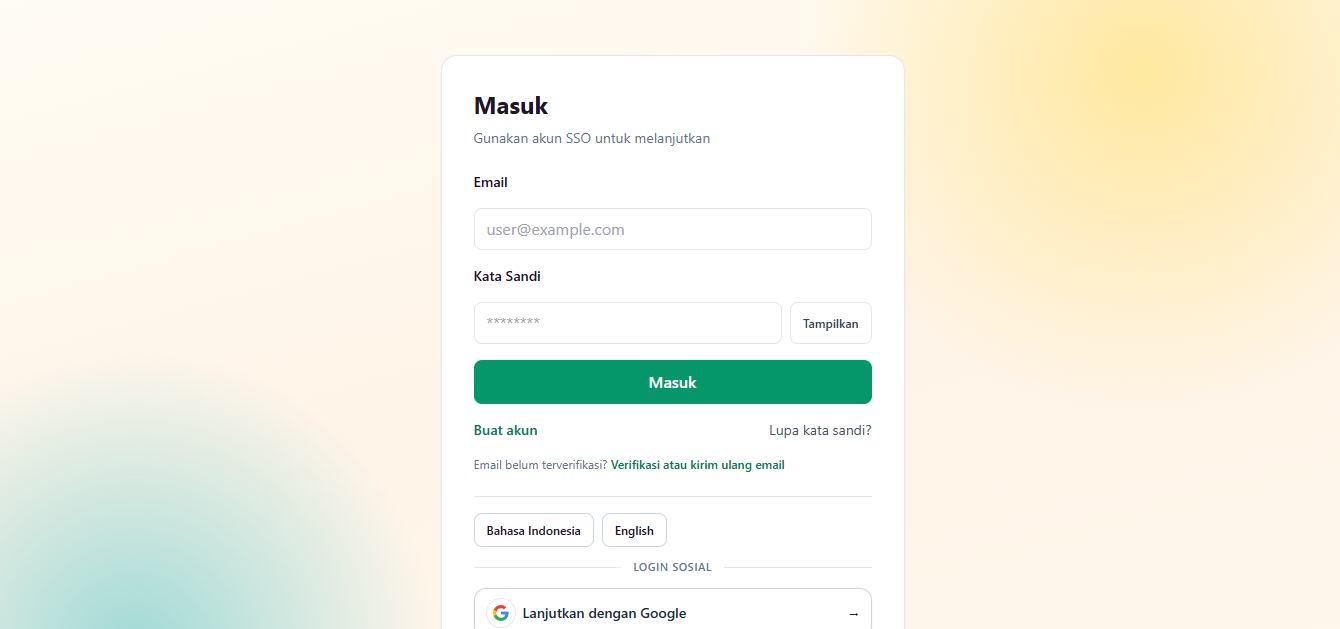
- Go to the application login page. (Example: https://gradynex.com/login)
- Click the Sign in with SSO button or you will be automatically directed to the SSO login page.
- Fill in your email and password.
- Click Sign in.
- If successful, you will return to the original application.
If the Access Approval Page Appears
- Check the name of the application requesting access.
- Check the requested data (e.g. email and basic profile).
- Click Allow to continue.
Failed to Login?
- Make sure the email and password are correct.
- Check Caps Lock keyboard.
- Use the Forgot Password menu if necessary.
- If your account is locked due to multiple failed attempts, wait a few minutes and try again.